Managing Awards
How to define tournament awards and assign winners when the tournament ends.
Awards are separate from a competitor’s ranking. They’re a set of titles you define for a tournament (e.g. First Place, Best Painted). Each award is assigned to a player or team once the tournament ends.
An award can be auto-assigned based on final ranking, or left for you to assign manually. Either way, nothing is locked in until you actually end the tournament.
To manage a tournament’s awards, open the Tournament Actions menu and select Manage Awards.
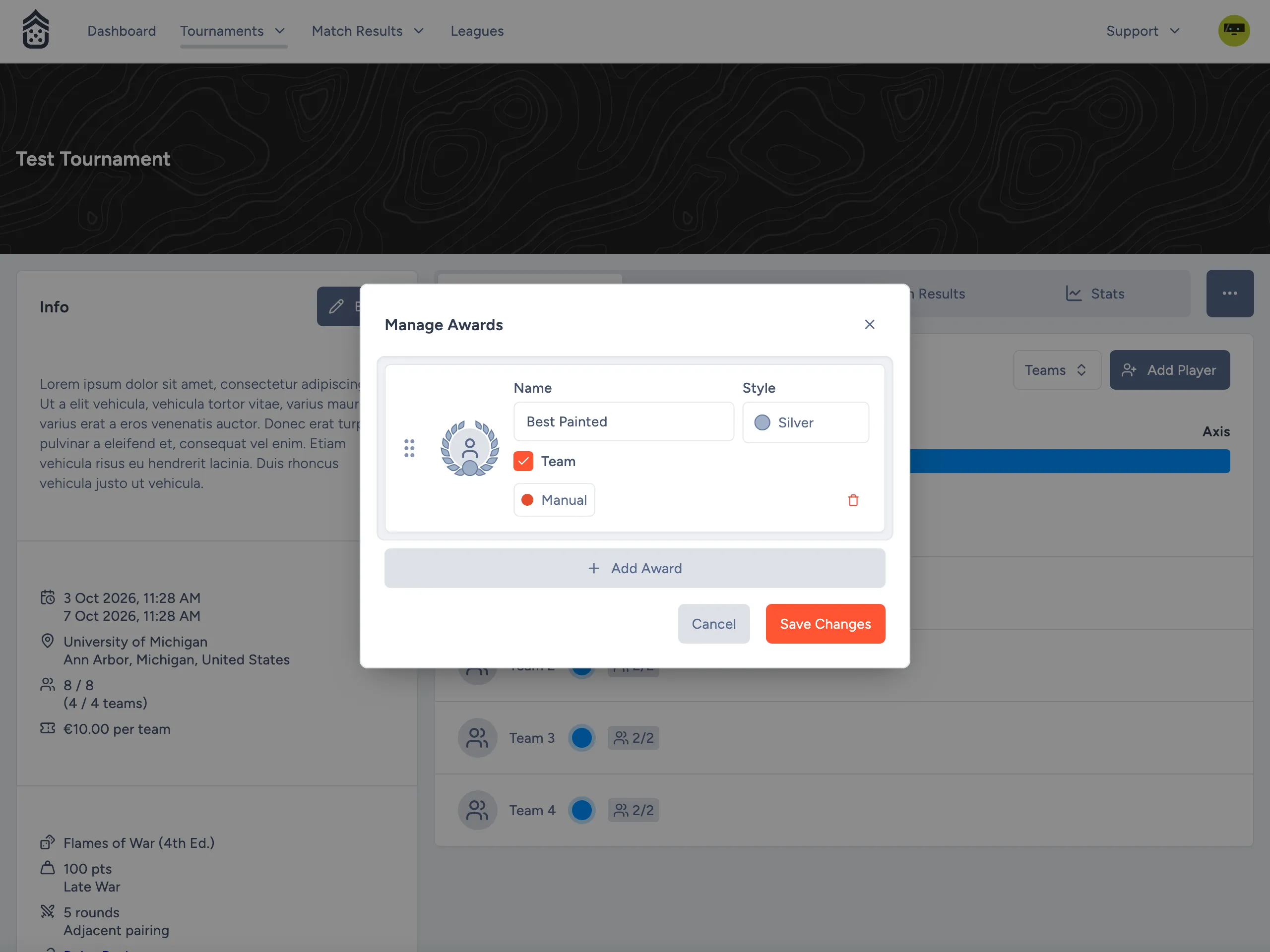
Creating an Award
Click Add Award to add a new row, then set its Name (e.g. “Most Sporting”).
Style
Each award has a Style, shown as a color swatch (Gold, Silver, Bronze, Iron, or Rose Gold). This is purely cosmetic; it controls how the award’s medal icon is displayed and doesn’t affect anything else.
Player vs. Team Scope
For team tournaments, there is a checkbox labeled “Team”. By default, awards for a team tournament are assumed to be per team, and checked by default. However, if you’d prefer to grant an award to a single player, you can uncheck it. In a solo tournament this option isn’t shown, since there’s only one scope available.
Auto-Assigning Winners
By default a new award’s assignment behavior is Manual. You pick the winner yourself when you end the tournament.
Click the Manual / Auto-Assign button on a row to open its settings, then toggle Auto-Assign on. A Rank field appears: choose which position in the final standings this award should go to (e.g. 1 for the top-ranked competitor, or Last for the bottom-ranked one).
Auto-assigned awards still show up for review when you end the tournament. You can always override the pick at that point.
Reordering
Drag an award by its handle (the grid of dots on the left) to change its order. Order only affects which award is “primary”: If a player wins “1st Place” and “Best Painted”, they will receive both awards but the “higher” one (“1st Place”) will be shown around their avatar on the tournament page.
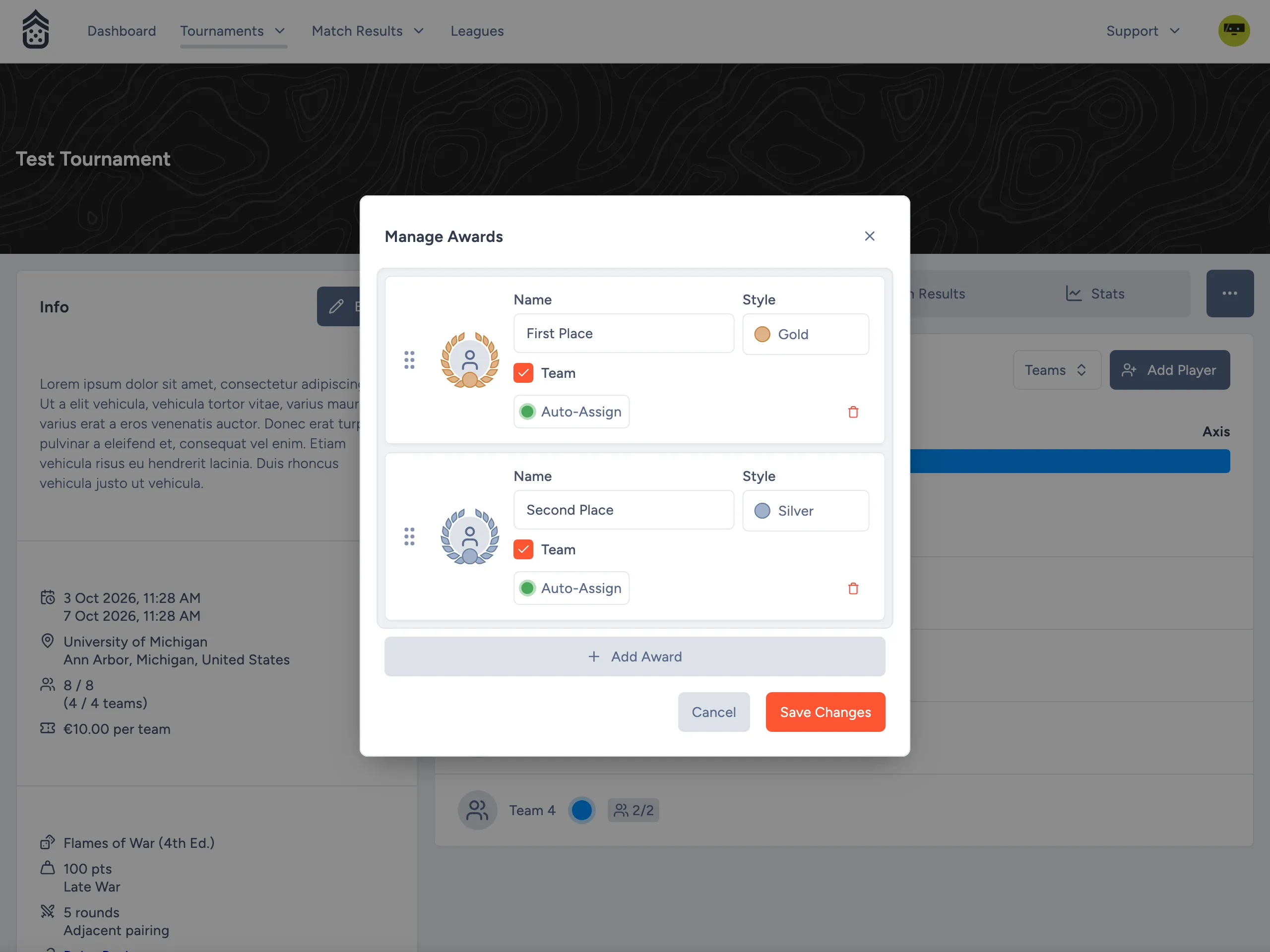
Deleting an Award
Click the trash icon on a row to remove that award. This takes effect once you save.
Saving
Click Save Changes to apply your edits, or Cancel to discard them.
Assigning Winners When You End the Tournament
Open the Tournament Actions menu and select End Tournament.
If any rounds remain unplayed, a warning is shown. You can still end the tournament, but be aware this can’t be undone.
Every award you’ve defined is listed with its current pick:
- Auto-assigned awards are pre-filled with the competitor at the configured rank, based on final standings.
- Manual awards are left empty for you to choose.
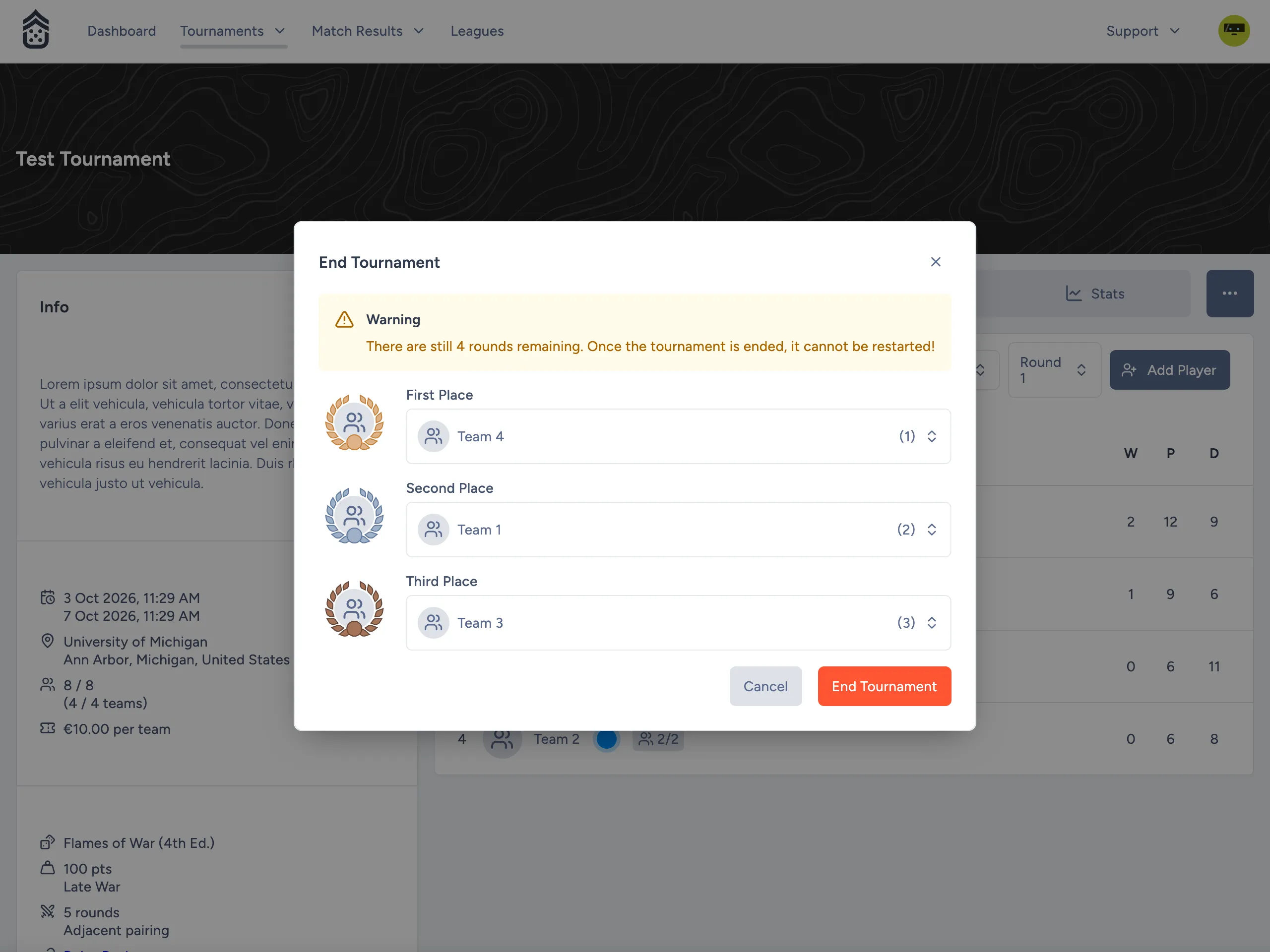
Click any award’s field to open a dropdown and pick (or change) its winner, regardless of whether it was auto-assigned. Once you’re satisfied, click End Tournament to finalize the results and assign the awards.
Ending a tournament is permanent — it cannot be restarted afterward.