Round Timers You Can Adjust
Set the timing of every phase when you start a round, and change it later if you fall behind.
Rounds rarely start exactly on time. Starting a round now opens a pop-up where you set the timing of each phase, and you can adjust it again while the round is running.
Round Timers
Starting a Round
Open the Tournament Actions menu and select Start Round. The pop-up has a row for each phase: pairing (team tournaments only), set-up, and playing. Each row is pre-filled from your tournament’s default timings, and the first phase starts now. Phases run back to back, so each phase starts when the one before it ends.
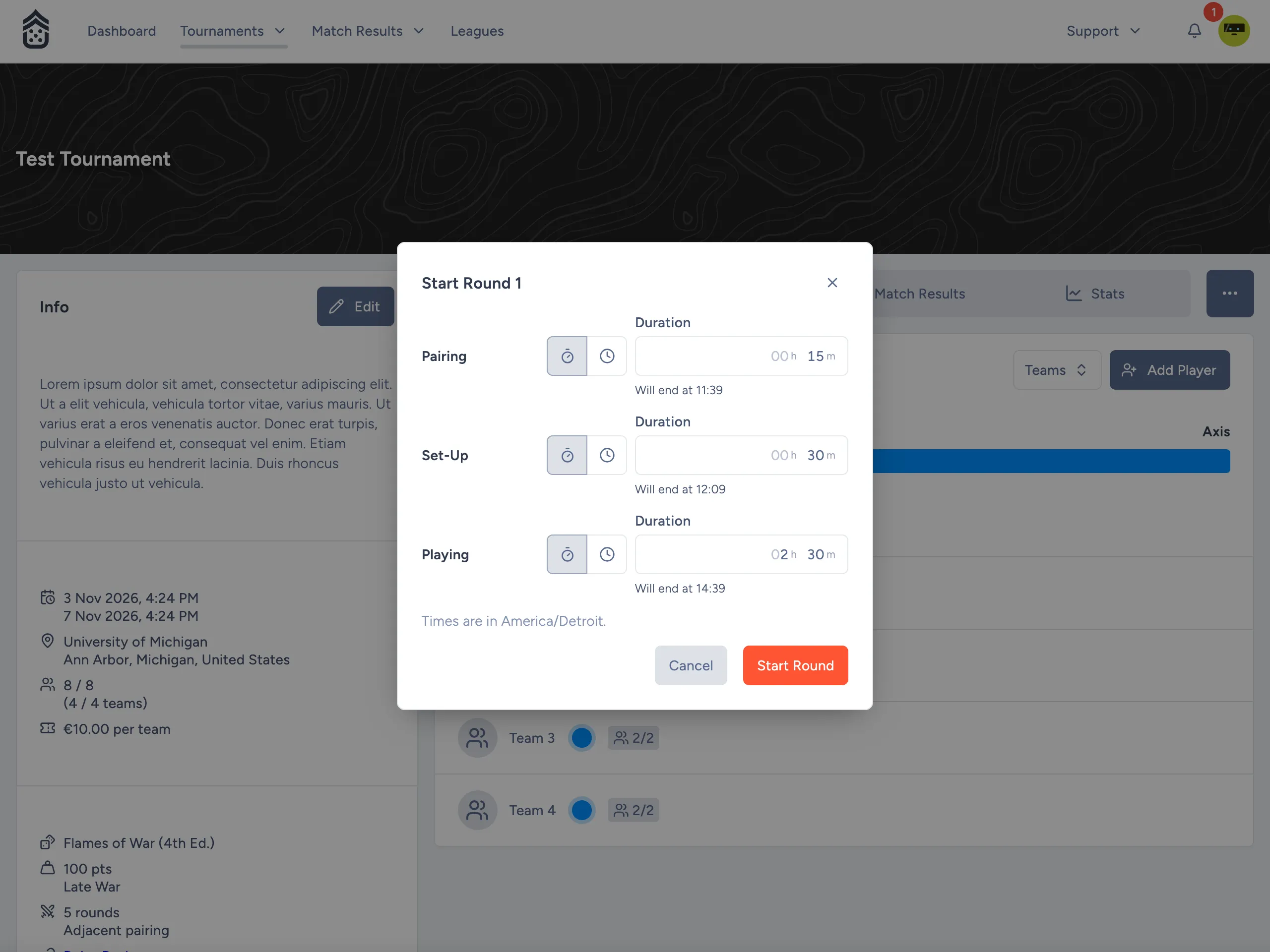
Duration or End Time
Set each phase by duration or by the time it ends at. The two always stay in sync: The row shows the end time for a duration, and the duration for an end time. Changing a phase shifts every phase after it.
End times use the tournament’s timezone, and the pop-up tells you which one that is. The round cannot start if a phase would end up with no length. Only pairing may be zero.
Timings for Each Round
Timings are stored for each round. The timings in your tournament settings are now only the defaults, so changing them does not affect a round which has already started.
If the round is running behind, select Adjust Round from the Tournament Actions menu. It opens the same pop-up with the current timings of the round.
Timer Controls
The timer controls (play, pause, resume, and jump to a phase) work against the timings of the round. See the new Managing Rounds guide for the details.
Fixes
- The Allowed Teams panel in the tournament form no longer locks up, and team flags render correctly.