Faction Indicators Get Their Flags
Faction indicators now show each army's flag, count extra armies, and open the list viewer with one click.
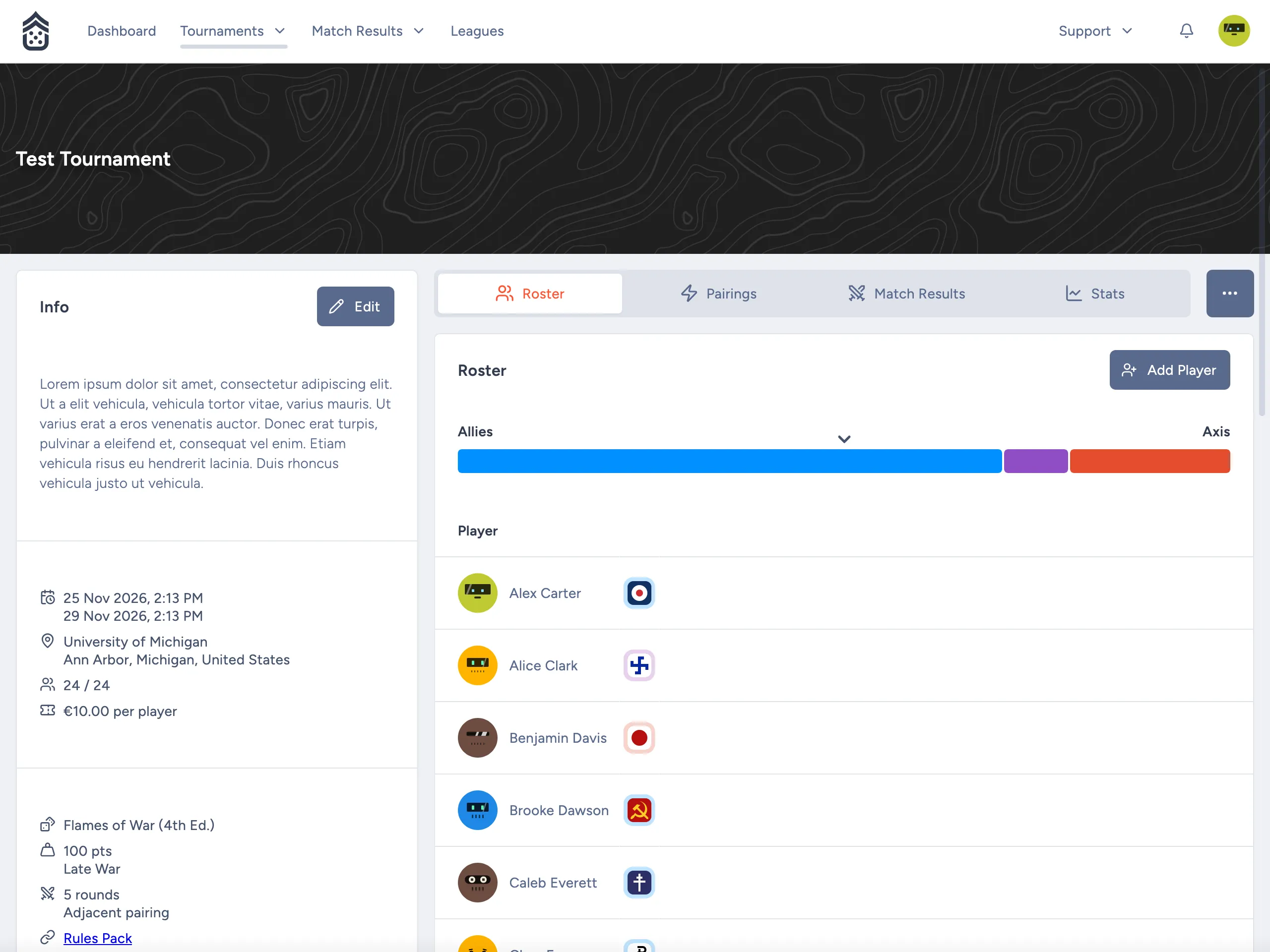
The little colored dot next to each player has grown up. Faction indicators now show which faction a player brought, not just their alignment, and they open that player’s list right from the roster.
Faction Indicators
Flags for Every Faction
In Flames of War tournaments, the indicator now shows the flag of the army’s faction. Where a faction changed its flag over the war, Early War armies get the period-correct one; for example, France, Germany, and Poland. The color around the flag still shows the alignment: blue for Allies, red for Axis, and purple for flexible.
Team Yankee armies keep a plain indicator in their alignment’s color: blue for NATO and red for Warsaw Pact. Proper faction icons will be coming soon, but drawing them cleanly so they render nicely at small scale is tricky work!
Indicators are also a little larger, and are now rounded squares instead of circles. Hover over one to see the alignment’s name.
More Than One Army
Players who declared more than one army used to get a half-blue, half-red indicator. Now the indicator shows their first army, with a small badge such as +1 for the rest.
Open a List From the Roster
Select an indicator on the roster, the rankings, or a competitor page to open that player’s list in the list viewer.
Additional Features
Pairings
- The pairing page has a new Clear All Pairings button. Confirming an empty set of pairings clears the round’s pairings.
- The menu item for the next round now reads Create Round N Pairings or Edit Round N Pairings, depending on whether pairings exist.
Fixes
- The last remaining row of the pairings grid can now be deleted.
- The price field in the tournament form can be used again.
Under the Hood
- Tournament standings are now stored per round, and only the rounds affected by a change are recalculated.
- League rankings are refreshed when a tournament is archived.
- Each match result now records the faction of each army, and keeps it in sync when a list changes.